1

Best way to reduce charring on Baltic Birch?

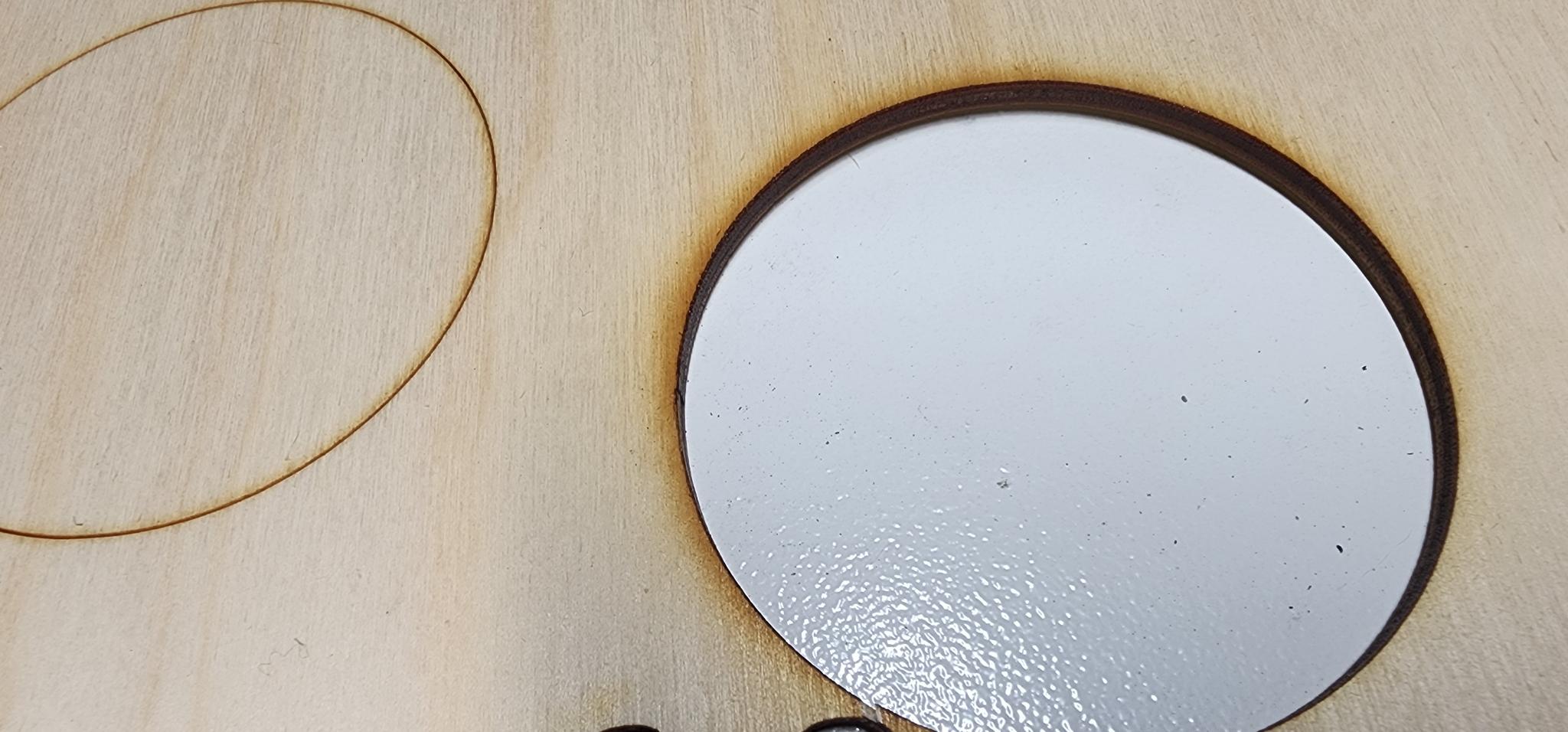
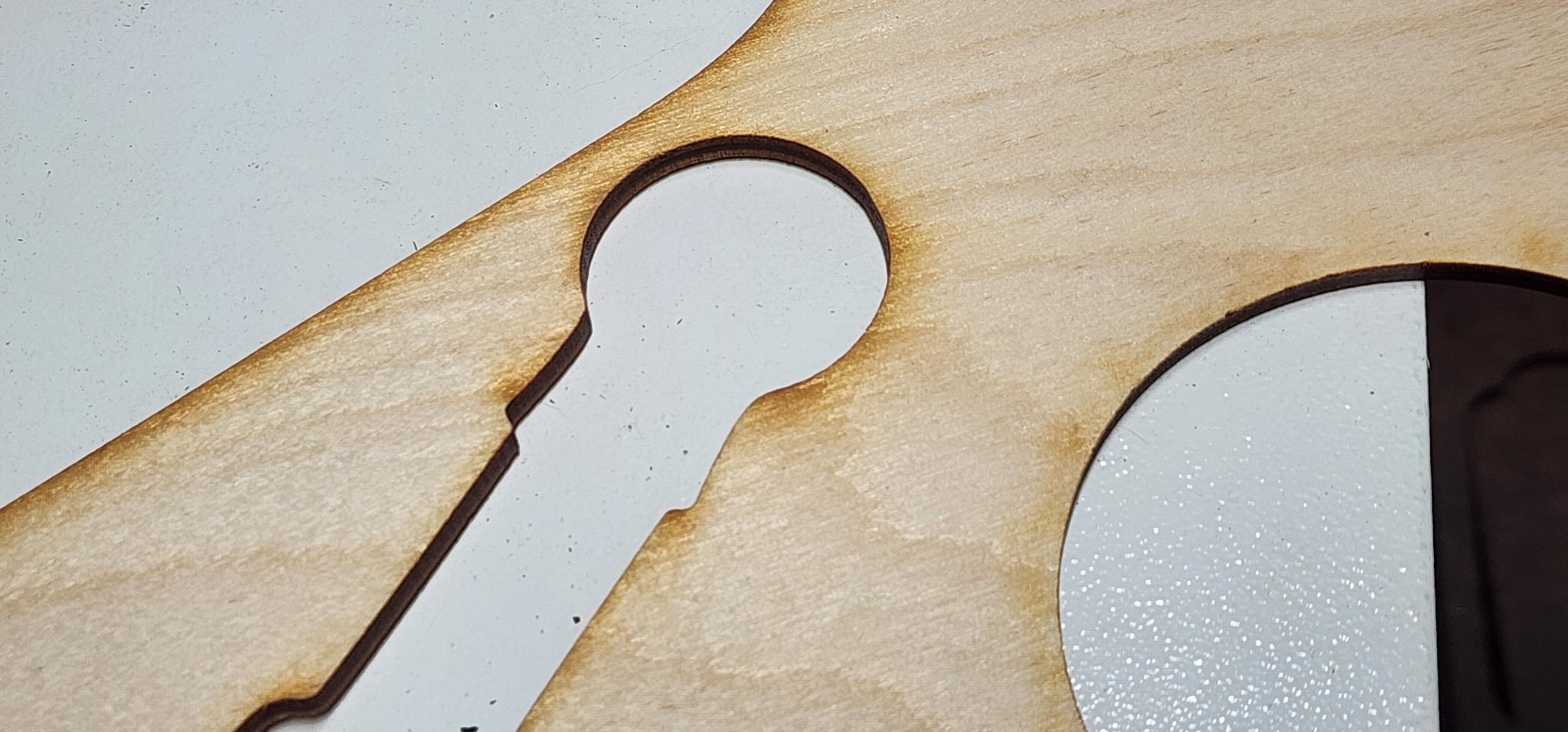
I am cutting 3mm Baltic Birch on my Glowforge Pro and getting more charring than I would like on the edges.
curlyman72 asked 4 days ago

1 Answer

0

The key is to prevent the laser beam from lingering too long and burning the wood.

Optimize Your Cut Settings

Your speed and power settings are the primary factors in controlling char.

  • Prioritize Speed Over Power: The most important principle is to use the fastest speed possible while still cutting through the material in a single pass. Multiple passes allow the laser to burn the already-cut edges, making charring significantly worse . Your goal is a fast, single-pass cut.
  • Find Your "Sweet Spot": Because every laser and batch of wood can vary slightly, running a material test is highly recommended . This involves cutting a small test pattern with a range of speed and power settings to find the combination that gives you a clean cut with the least amount of burn.
  • A Practical Starting Point: I have an 80W CO2 laser (similar to your Glowforge Pro) on 3mm plywood: 55% Power at a speed of 45 mm/s . This could be an excellent baseline for your own tests. Remember, the goal is to find the highest speed that, combined with sufficient power, cuts through in one go.

Maximize Your Air Assist

Your Glowforge Pro comes with an air assist, and using it effectively is absolutely critical for reducing char.

  • What it Does: A strong stream of air does three things: it blows away flammable smoke and gases that can stain the wood, it cools the cutting area, and it helps prevent flare-ups .
  • Pressure is Key: Ensure your air assist is set to a high pressure. A more powerful air supply (like a shop compressor versus a simple fan) will make a noticeable difference in edge cleanliness . Make sure the nozzle is clean and properly aligned with the laser beam. If you do you use a shop compressor it's mandatory that you use a moisture capture device. Compressed air produces moisture and that moisture condenses on your lens which will reduce power and/or soil, reduce the life of, or even damage your lens. Don't ignore this warning!

Consider Material and Surface Protection

If optimizing settings and air assist aren't enough, you can also look at the material itself or use simple masking techniques.

  • Material Quality: The glue used in plywood can significantly impact charring. Plywood with a high glue content, or glue not designed for lasers, tends to burn darker . Sourcing high-quality, "laser-safe" Baltic Birch is important. Laser-safe usually means higher grade, higher cost, and lower "plugs" where they remove knots between layers and fill with lower grade wood which could affect cutting because of different wood density or excess glue.
  • Use Masking Tape: Applying a layer of ordinary masking tape over the area you plan to cut can help protect the top surface from scorch marks and smoke residue. The laser cuts through the tape, and you simply peel it off afterward for a cleaner finish .
  • Clear coat your wood: If you are going to clear coat your wood, do this before cutting. I usually sand, stain, and clearcoat my wood before I cut. The clear coat will prevent soot from accumulating on the surface making it easier to just wipe off and to remove masking tape. You'll still need to do a little edge cleanup but it cuts your post processing time by quite a bit.

Post-Processing: Cleaning Up After the Cut

Even with perfect settings, some slight discoloration might remain. Fortunately, Baltic Birch is known for being easy to clean up.

  • Sanding: The most common method is to lightly sand the edges. Because Baltic Birch has a void-free core, you can sand it without worrying about rough spots. A quick pass with fine-grit sandpaper will remove the light char and leave a smooth, natural wood edge .
  • Why This Works: The dark residue is essentially charcoal powder, and no finish will adhere to it properly . Removing this thin layer is necessary for a clean look and is the standard way to finish laser-cut Baltic Birch parts .

I hope these suggestions help you achieve the clean cuts you're looking for! Which of these strategies are you planning to try first? If you run a material test, I'd be curious to know what settings work best for your machine.

demo_user answered 1 day ago